
Grading Calculator (Free Online Grade Calculator & Easy Grader Tool)
Calculate grades, weighted scores, GPA, and final-exam targets instantly. Free, fast, and built for students and teachers.
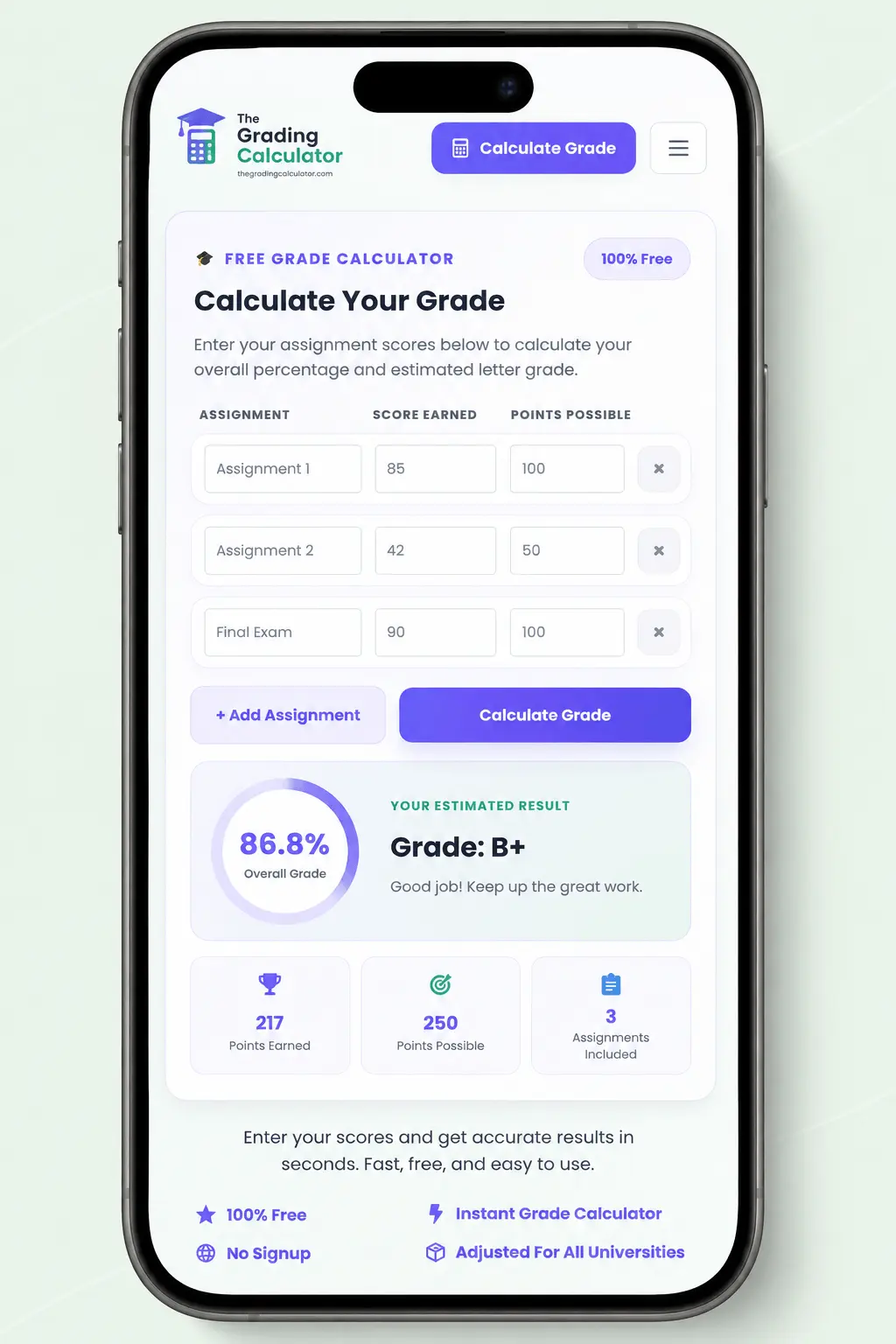
Calculate Your Grade
Enter points earned and points possible. Decimal values are supported.
Default US Grade Scale
The article’s default scale is used for automatic letter-grade estimates.
Wrong Answers → Grade
Quickly convert incorrect answers into a test percentage.
Built for real grading workflows
This tool covers the core scenarios in the grading guide: percentage calculations, weighted coursework, final-grade planning, GPA tracking, decimal scores, partial-credit-friendly point values, custom grading rules and mobile grading.
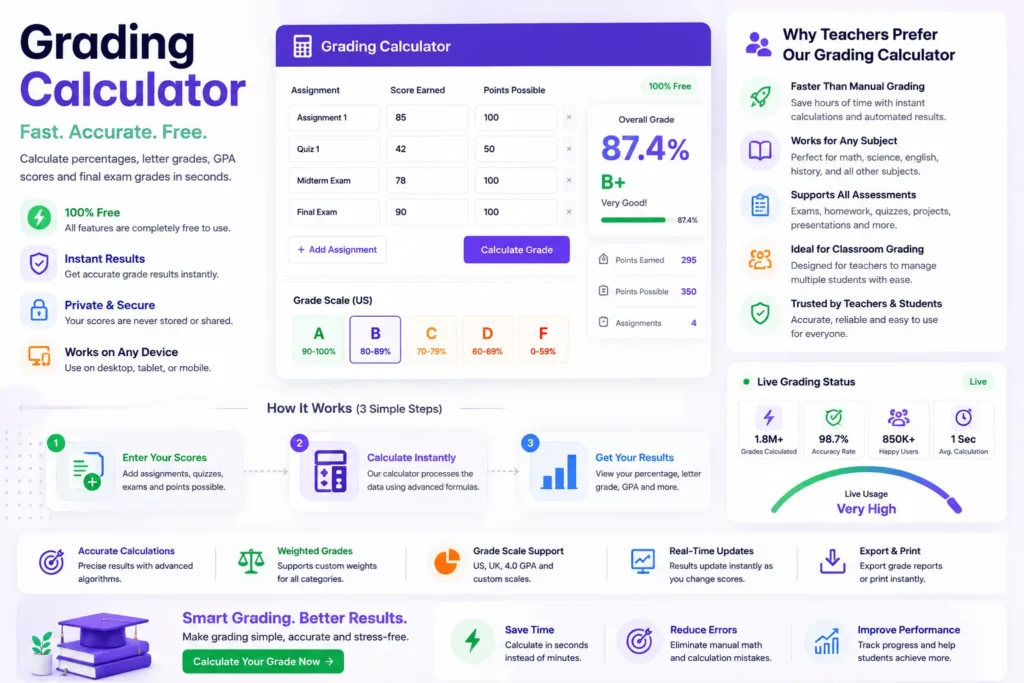
Calculate your final grade in seconds with accurate results.
Supports assignments, quizzes, exams and weighted categories.
Use the calculator seamlessly on desktop, tablet and mobile.
Your scores are processed instantly and are never stored.
Have you ever spent too long calculating test scores, percentages, or weighted grades by hand? Most oonline grading calculator tools only make things worse. They are outdated, confusing, and slow. Many are packed with unnecessary options. Instead of helping with grading, they turn a simple task into a frustrating mess.
That is why we built our Grading Scale Calculator. This fast and accurate online grade calculator helps you calculate percentages, letter grades, GPA scores, and grading scales in seconds. Whether you need a simple grader, a weighted gradebook calculator, or a quick grade chart, our tool gives instant results without the headache. Try our free Grading Calculator now and make grading easier than ever.
Grading Calculator Latest Update
What Is a Grading Calculator?
A Grading Calculator is an online tool that helps you calculate test scores, percentages, letter grades, GPA values, and weighted grades in seconds. You no longer need to waste time doing manual calculations. Just enter details like total questions, correct answers, wrong answers, or assignment weights. The calculator instantly gives accurate results. It is one of the easiest ways to handle online grading without confusing formulas or messy spreadsheets.
Most modern online grade calculators also support grading scales, percentage-to-letter conversions, GPA estimation, and full grade chart references. You can grade a quiz, a semester project, or a final exam much faster. The process becomes way less stressful. Many calculators now include real-time updates, weighted grading systems, and easy grader features to simplify classroom grading.
Because of that, grade calculators are super useful for both teachers and students. They are helpful for quick homework grading or tracking semester performance. These tools help people stay accurate, organized, and consistent while grading. In the next sections, we will see who uses grading calculators most and what they can do for you.
Who Uses Grade Calculators?
A grading calculator is useful for anyone who regularly works with tests, quizzes, assignments, exams, or student progress. Instead of handling every calculation manually, users can turn raw scores into clear grading information in seconds.
Teachers
Calculate percentages and grades while checking assignments, quizzes, tests, and exams without repeating manual calculations.
Students
Check current scores, understand semester progress, and estimate what may be needed on an upcoming assignment or final exam.
Tutors & Professors
Use consistent calculations when reviewing student performance, explaining scores, or checking different grading scenarios.
Homeschool Parents & Schools
Keep grading calculations organized across assignments, tests, and different grading systems used throughout the school year.
Two common grading scenarios
From checking completed work to planning for an upcoming exam, an online calculator turns raw scores into a result that is easier to understand and act on.
What are you trying to calculate?
Choose the grading view that matches the question you’re trying to answer, from a quick percentage check to a broader view of academic performance.
Percentage Grade
Convert points earned and points possible into a clear percentage without doing the calculation manually.
Weighted Grades
Account for grading categories where assignments, quizzes, projects, or exams contribute different amounts to the final result.
GPA Tracking
Students can use GPA scales to understand how individual grades contribute to their broader academic performance.
Grade Chart
Translate percentage results into corresponding letter grades using a clear grading scale.
What Can a Grade Calculator Do?
A modern grading calculator does much more than just convert scores into percentages. It can instantly calculate letter grades, GPA values, weighted grades, and overall course averages based on your grading scale. You simply enter the total number of questions, the number of wrong answers, or the assignment weights, and the tool handles the rest automatically.
Many online grading calculators also include advanced features such as real-time updates, easy grade charts, and weighted grade calculation. This means you can quickly see how homework, projects, quizzes, and exams affect the final grade without doing complicated math yourself.
Some gradebook calculator tools even estimate final exam scores, semester grades, and cumulative GPA results. Whether you are grading tests or planning academic goals, a grading calculator makes the process faster, cleaner, and much less stressful.
How Does Our Online Grade Calculator Work?
Our online grade calculator is built to make grading quick, simple, and stress-free. You don’t have to do percentage math or check grading scales yourself. The tool handles everything instantly.
You can grade quizzes, homework, assignments, or exams in seconds. The grading process feels smooth and beginner-friendly, even if you use a gradebook calculator for the first time.
Enter Test Details
Enter the total number of questions, points, or assignments and provide the scores you want to calculate. The calculator reads your inputs and prepares the result automatically.
Get Results Right Away
Once your details are entered, the calculator produces the percentage score, letter grade, GPA equivalent, and grading-scale result without requiring a page refresh.
Understand Your Result
Review the calculated percentage, letter grade, and other available grading information in one clear result view, making the final score easier to understand.
Use Quick Shortcuts
Fast controls make repeated grading easier. Correct an input, switch between grading tasks, or reset the current calculation without rebuilding the workflow from scratch.
Built for Fast Online Grading
From a single quiz to a full semester of assignments, the calculator is designed to keep the grading workflow quick, consistent, and easy to use across common devices.
How to Calculate Test Scores Manually
Even though a Grading Calculator makes the process much faster, it helps to understand how grade calculation works manually. Once you know the basic formula, calculating percentages, letter grades, and test scores is simple. For quizzes, homework, or your own exam, the process mostly comes down to finding the percentage of correct answers.
Divide the number of correct answers by the total number of questions, then multiply by 100. The resulting percentage can then be matched to a grading scale.
36 ÷ 40 = 0.90
0.90 × 100 = 90%
A student who answers 36 out of 40 questions correctly receives a 90% score. On a standard grading scale, this commonly corresponds to an A-.
33 ÷ 40 × 100
Subtract the wrong answers from the total questions first. Then divide the remaining correct answers by the total and multiply by 100 to find the percentage.
The manual method works
For a single quiz or exam, the calculation is straightforward: identify the correct answers, divide by the total questions, and convert the result into a percentage.
But repeated grading takes more time
The same formula becomes tedious when you’re checking multiple students, assignments, quizzes, or different grading scenarios.
Online Grade Calculator Examples
A Grading Calculator becomes even more useful when you see how it works in real situations. Whether you are grading quizzes, tracking homework, estimating final exam scores, or checking semester averages, an online grade calculator helps simplify the entire process.
Instead of manually calculating percentages and grading scales every single time, you can get accurate results instantly with a few quick inputs.
A student who gets 3 of 20 questions wrong answers 17 correctly, producing an 85% score. A standard grading scale would usually place this in the B range.
When a final exam is worth 30% of the course grade, a calculator can work backward from the desired 85% final result to estimate the score needed on the exam.
If homework averages 92% and contributes 25% of the course grade, its weighted contribution is 23 points toward the final grade.
Combining quizzes, homework, midterms, and finals with their respective weights provides an overall semester estimate and makes academic progress easier to track.
Easy Grader Scale Chart
An easy grader scale chart helps convert percentage scores into letter grades quickly and consistently. Instead of manually checking whether a score counts as an A, B, or C, the chart instantly matches percentages with the correct grading scale. This makes grading faster for teachers and much easier for students trying to understand their performance.
Most online grade calculators and grader tools use a standard grading chart behind the scenes. However, many schools and colleges make slight adjustments to their grading systems in line with academic policies, GPA rules, or regional standards.
That is why a flexible Grading Calculator with customizable grading scales becomes super useful for accurate online grading.
Standard US Grading Scale
The standard US grading scale is the most commonly used grading system in schools, colleges, and universities. It converts percentage scores into letter grades and GPA values.
| Percentage Score | Grading Calculator Letter Grade | GPA |
| 97% – 100% | A+ | 4.3 |
| 93% – 96% | A | 4 |
| 90% – 92% | A- | 3.7 |
| 87% – 89% | B+ | 3.3 |
| 83% – 86% | B | 3 |
| 80% – 82% | B- | 2.7 |
| 77% – 79% | C+ | 2.3 |
| 73% – 76% | C | 2 |
| 70% – 72% | C- | 1.7 |
| 67% – 69% | D+ | 1.3 |
| 63% – 66% | D | 1 |
| 60% – 62% | D- | 0.7 |
| Below 60% | F | 0 |
Printable Grade Chart
Many teachers prefer using a printable grade chart while checking quizzes, assignments, and exams in the classroom. A printable grading chart provides a quick reference for percentage scores, letter grades, and common score combinations, so you don’t have to manually calculate everything.
For example, if a student gets 2 wrong out of 20 questions, the chart can instantly show the percentage and corresponding letter grade. This helps speed up grading while maintaining accurate, consistent results across multiple students.
Custom Grading Scale Options
Not every school follows the exact same grading scale. Some institutions consider 50% a passing grade, while others may require 65% or higher. As a result, many online grading calculators allow users to customize grade thresholds based on their academic system.
For example, you can:
This flexibility makes online grading much more accurate for different classrooms, universities, and educational systems.
International Grading Systems
Grading systems also vary across different countries. While the United States commonly uses letter grades and GPA values, other countries may use numerical scales, percentages, or inverted grading systems.
For example:
Because of these differences, a modern online grade calculator should support multiple grading systems and customizable grading scales. This helps teachers, students, and international institutions calculate grades more accurately without confusion.
Weighted Grade Calculation Explained
Not every quiz, homework assignment, project, or exam affects your final score equally. In many grading systems, larger assessments carry more weight than smaller ones. For example, a final exam may count much more toward your overall grade than weekly homework. That is why weighted grade calculation is important for accurate grading.
A Grading Calculator with weighted grading support automatically applies these percentages and calculates your final score correctly. This makes it easier to track semester averages, GPA goals, and overall academic performance. In the next sections, we will explain grade weights, weighted vs. unweighted grades, weighted grade formulas, examples, and GPA calculations in simple terms.
What Is a Grade Weight?
A grade weight represents how much an assignment, quiz, project, or exam contributes to the final course grade. Higher-weight assessments have a greater impact on the overall result.
Unweighted grading treats tasks more equally, while weighted grading gives assessments different levels of importance. A grading calculator can handle either approach automatically.
Each grade is multiplied by its assigned weight, and the weighted values are then added together to produce the overall course percentage.
The three weighted contributions are 18, 24, and 42.5. Adding them together produces a final weighted grade of 84.5%.
Instead of manually multiplying each score and weight, an online grading calculator performs the weighted calculation automatically and combines the results into one final percentage.
GPA and Weighted Grading
GPA, or Grade Point Average, is one of the most common ways schools and colleges measure overall academic performance. Instead of showing only percentage scores, GPA converts grades into numerical values such as 4.0, 3.7, or 3.0 based on the grading scale. This makes it easier to compare performance across multiple courses and semesters.
Weighted grading plays a big role in GPA calculation because not all classes carry the same academic difficulty or value. For example, honors, AP, or advanced courses often carry a higher GPA weight than regular classes. So, earning the same letter grade in a harder course may increase the weighted GPA more than it would in a standard course.
A Grading Calculator with GPA and weighted grading support can automatically calculate course averages, GPA values, and weighted scores without needing manual math. This helps students track academic goals more accurately and helps teachers manage online grading and semester evaluations more efficiently.
Gradebook Calculator for Teachers
A gradebook calculator helps teachers manage classroom grading more efficiently, eliminating the need for endless manual calculations. Instead of tracking percentages, weighted grades, and assignment averages by hand, teachers can use an online grade calculator to organize everything in one place. This makes online grading faster, cleaner, and much more accurate, especially when handling large classes or multiple subjects.
Modern gradebook calculator tools also help reduce grading mistakes while keeping scores consistent across quizzes, homework, projects, and exams. Since many schools now use weighted grading systems and GPA tracking, having a reliable Grading Calculator can save a huge amount of time during daily grading and semester evaluations.
Keep homework, quizzes, projects, and exams organized while applying their weights consistently instead of recalculating every category by hand.
Monitor averages and category performance throughout the semester so changes in student performance are easier to spot before final grades are calculated.
Final Grade & GPA Calculators
Final grade and GPA calculators help students understand their academic standing before the semester ends. Instead of guessing how quizzes, homework, projects, and exams affect the final score, these tools instantly calculate averages using weighted grade calculation and grading scale data. This makes academic planning much easier and helps students avoid surprises when final results are released.
A modern Grading Calculator can also estimate GPA values, predict semester outcomes, and calculate target scores needed on future assignments or exams. As a result, both students and teachers use these online grading tools to track academic performance more accurately throughout the year.
GPA Calculator
A GPA calculator converts letter grades or percentage scores into grade point averages based on the school’s grading scale. Most GPA systems use a 4.0 scale, where grades like A, B, and C are assigned numerical values of 4.0, 3.0, and 2.0, respectively.
An online grade calculator automatically handles these conversions and combines multiple course grades into one overall GPA. This helps students quickly track academic progress, scholarship eligibility, and semester performance without having to manually calculate grade points.
Cumulative GPA Calculation
Cumulative GPA measures overall academic performance across multiple semesters or academic years. Instead of focusing on a single course, it combines all completed courses into a single GPA.
For example, if a student earns strong grades in several semesters, the cumulative GPA reflects long-term academic consistency rather than short-term results. Many gradebook calculator systems automatically update cumulative GPA values whenever new grades are added, which makes academic tracking much easier over time.
Semester Grade Projection
Semester grade projection tools estimate what a student’s final semester average may look like based on current scores and remaining assignments. This is especially useful before midterms or finals when students want to know how upcoming exams could affect their grades.
A grading calculator can instantly combine quizzes, homework, projects, and weighted exams to project the final semester score. This allows students to identify weak areas early and focus on assignments that carry the most weight in grading.
End-of-Year Grade Prediction
End-of-year grade prediction tools estimate final yearly performance using grading data from multiple semesters, quarters, or assessment categories. Schools often use weighted grading systems in which finals, state assessments, and semester exams heavily influence the final average.
By using an online grading calculator, students and teachers can more accurately predict final outcomes and understand the scores needed to achieve target grades or GPA goals. This makes long-term academic planning much more organized and less stressful.
Benefits of Using an Online Grading Calculator
Using an online grading calculator speeds up the process, improves accuracy, and makes it much easier to manage. Instead of manually calculating percentages, weighted grades, GPA values, and grading scales, the tool automatically handles everything in real time. This helps teachers reduce repetitive work while helping students track academic performance more clearly.
A modern Grading Calculator also improves grading consistency across quizzes, assignments, homework, projects, and final exams. Since online grading systems instantly process calculations and grading weights, they reduce common human errors that often happen during manual grade calculation.
Time Savings & Faster Grading
Calculate percentages, weighted grades, and averages in seconds instead of repeating manual calculations for every student.
Error-Free Grade Calculation
Automatically apply formulas, weights, and grading scales to reduce calculation mistakes and keep results accurate.
Consistency & Fairness
Use the same grading rules and calculations across every student, assignment, quiz, and exam.
Real-Time Results
Enter a score and instantly see updated percentages, weighted averages, GPA values, and grade projections.
Mobile-Friendly Online Grading
Grade and check results from your phone, tablet, laptop, or classroom computer without being tied to a desktop.
Better Classroom Efficiency
Automate repetitive grade calculations so teachers can spend less time on gradebook math and more time teaching, giving feedback, and supporting students.
Brief History of Different Grading Systems
Grading systems have changed a lot over time. Long before modern percentage scores, GPA systems, and online grading calculators existed, schools used very different methods to evaluate student performance. In fact, early academic grading was often inconsistent, subjective, and heavily dependent on individual institutions.
Over the years, grading evolved into more standardized systems that used percentages, letter grades, weighted grading, and GPA calculation methods. Today, most schools use structured grading scales and digital gradebook calculator systems to make academic evaluation faster, fairer, and more accurate.
Universities often ranked students or placed them into performance groups rather than using modern percentages or GPAs.
Letter grades became increasingly common, eventually developing into familiar A–F systems with plus and minus variations.
Percentage scales, weighted grades, GPA systems, and digital gradebooks made evaluation more structured and consistent.
Some institutions now complement traditional grades with competency-based assessment, performance reviews, and narrative feedback.
An Alternative to the Traditional Letter Grading System
Traditional letter grades like A, B, and C, and GPA scores, are still the most common ways schools measure academic performance. However, many educators believe these grading systems do not always show a student’s actual learning progress, critical thinking skills, or subject mastery.
Because of that, some schools and institutions have started using alternative grading methods that focus more on feedback, competencies, and long-term development instead of just percentage scores.
These alternative systems are designed to reduce grade pressure while giving students a more detailed academic evaluation. Although they are less common than traditional grading scales and online grading systems, they continue to gain attention in modern education models.
Strong analytical thinking. Continue developing evidence-based explanations and clearer conclusions.
Students receive detailed written feedback about strengths, weaknesses, and progress instead of relying only on a numerical grade.
Instead of averaging every assignment, teachers assess how well students meet specific learning objectives or academic standards.
Students progress by demonstrating mastery of a skill or competency rather than simply completing a fixed amount of coursework.
Pros and Cons of Alternative Grading
| Goal | Traditional | Alternative | Best approach |
|---|---|---|---|
| Fast standardized grading | Strong | Harder | Traditional |
| Detailed feedback | Limited | Strong | Alternative |
| Skill mastery | Variable | Strong | Alternative |
| GPA compatibility | Strong | Variable | Traditional |
| Continuous improvement | Moderate | Strong | Alternative |
Research from the Education Endowment Foundation’s Teaching & Learning Toolkit reports an average +6 months of progress for feedback across 155 studies, highlighting the importance of feedback in supporting student learning.
Advanced Features of Our Online Grader
Decimal Grading
Keep precise scores such as 89.5% instead of automatically rounding them to a whole number.
Partial Credit
Award points for partially correct work instead of forcing every response into right-or-wrong scoring.
Custom Grade Thresholds
Adapt passing marks, letter-grade ranges, GPA conversions, and grading rules to your system.
Real-Time Grade Updates
Change an input and see the resulting percentage, letter grade, and weighted score update immediately.
Keyboard Shortcuts
Fast controls reduce repetitive clicking when teachers are working through large grading sessions.
Auto Grade Chart
Generate a clear percentage-to-grade reference from your grading scale instead of building the chart manually.
Common Grade Calculation Examples
Whether you are calculating quiz percentages, checking passing grades, converting scores into letter grades, or estimating GPA values, practical examples help simplify the entire process. Instead of guessing how grading scales work, you can clearly see how scores are calculated step by step.
In the next sections, we will break down some of the most common grade calculation examples that students and teachers search for online. These examples will show how an online grade calculator handles percentage grading, wrong-answer calculations, passing scores, and letter-grade conversion using real grading scenarios.
Whether this is technically a passing grade depends on the school’s required threshold. A 67.5% score may pass under one grading scale but fall below the required mark under another.
When you know the number of wrong answers, simply subtract them from the total first. The remaining correct answers can then be converted directly into a percentage.
On many standard grading scales, 93.75% qualifies as an A. However, some institutions use different thresholds or distinguish between A and A+ grades.
What Is a Good GPA?
A good GPA usually depends on academic goals, school standards, and scholarship requirements. In most colleges and universities, a GPA above 3.0 is considered solid academic performance, while a GPA above 3.5 is often viewed as very strong.
For competitive scholarships, graduate programs, and honors recognition, students often aim for a GPA closer to 3.7 or 4.0. However, grading systems and GPA scales can vary between institutions, especially in weighted grading environments.
What Is the Highest GPA Possible?
In a standard unweighted grading system, the highest GPA is usually 4.0, which represents straight A grades across all subjects. However, some schools use weighted GPA systems in which advanced, honors, AP, or IB courses can raise a GPA beyond 4.0.
For example, certain weighted grading systems allow GPAs of 4.5, 5.0, or even higher, depending on course difficulty and grading policies. Online grading and GPA calculators often support both weighted and unweighted GPA calculations for more accurate academic tracking.
Tips for Accurate Grade Calculation
Getting accurate results is crucial when calculating percentages, GPA values, weighted grades, and final averages. Even tiny mistakes in assignment weights or grading scales can completely change the final result. That is why our Grading Calculator is designed to simplify online grading while minimizing manual calculation errors.
Whether you are grading quizzes, homework, projects, or final exams, following a few simple practices can make the grading process faster, cleaner, and far more reliable. Here are some tips to get the most accurate results from our online grade calculator.
Enter the exact weight assigned to each category before calculating a final grade. A single incorrect weight can change the entire weighted result.
Letter grades and GPA values are not universal. Confirm the grading thresholds used by your school before interpreting the final percentage.
Applying one grading scale consistently across quizzes, assignments, and exams makes results easier to interpret and reduces avoidable inconsistencies.
Repeated percentage and weighted-grade calculations create unnecessary opportunities for arithmetic mistakes. Enter the values once and let the calculator perform the formulas automatically.
Why Teachers Prefer Our Online Grade Calculator
Teachers grade every day, so speed, accuracy, and consistency matter a lot. Manually calculating percentages, weighted grades, GPA values, and grading scales for dozens of students can quickly become exhausting and time-consuming. That is why many educators now prefer using our Grading Calculator to simplify classroom grading and reduce repetitive work.
Our online grading calculator is designed specifically to make grading faster, cleaner, and more reliable across quizzes, homework, assignments, projects, and final exams. Instead of struggling with spreadsheets or manual calculations, teachers can instantly generate accurate results in just a few clicks.
response
formats
types
access
Enter the scores once and get percentage, letter, and grading results without repeating the same calculations by hand.
Use the same grading workflow across different subjects, course structures, and academic levels without switching between separate tools.
Handle multiple assessment types while keeping the same percentage and weighted-grade workflow throughout the semester.
Quick input, clear results, and easy navigation make it practical for classroom grading, home use, and busy exam-season workflows.
Frequently Asked Questions
Here are some helpful explanations to guide you through common queries.
Using The Grading Calculator
Features
Accuracy
Use Cases
Final Thoughts
Grading does not have to feel slow, confusing, or stressful anymore. Whether you are calculating quiz scores, tracking GPA values, managing weighted grades, or checking semester averages, our Grading Calculator makes the entire process faster and way easier. Instead of dealing with messy spreadsheets or manual math, you can get accurate results instantly with a clean and simple online grading tool.
From teachers handling classroom grading to students planning final exam goals, this online grade calculator is built to save time, reduce errors, and simplify grade calculation for every situation. So next time you need quick percentage scores, GPA estimates, grading scales, or weighted grade calculation, come back and use our grader anytime.
And honestly, if you found this tool helpful, go ahead and bookmark our site so you always have a fast, reliable grading calculator ready whenever grades start getting chaotic again.